



Sales
Quotations, invoices and credit notes beyond the counter.
Quote a customer, convert it to an invoice, collect payment and correct mistakes the proper way.
- Quotation to invoice in one action
- Gap-free invoice numbers
- Price lists per customer
What it does
From quote to paid
Quotations
Create quotes with validity dates and revisions that keep their history. Mark one lost with a reason, or let it expire.
Convert in one action
Turn a quotation into an invoice, including only the lines and quantities you choose. Links are kept both ways.
Cash and credit invoices
Due dates follow customer terms. Record full, part or multi-method payments and see the balance outstanding.
Trustworthy numbering
Invoice numbers have no gaps and cannot be changed once issued. Fixes go through credit notes or cancellation.
Price lists
Retail, wholesale, contractor or your own lists, with fixed prices or a percentage off, assigned per customer.
Print and margin warnings
Print or save as PDF on A4 or A5 with your logo and terms. Get warned when a line sells below cost.
Real screens
In the app
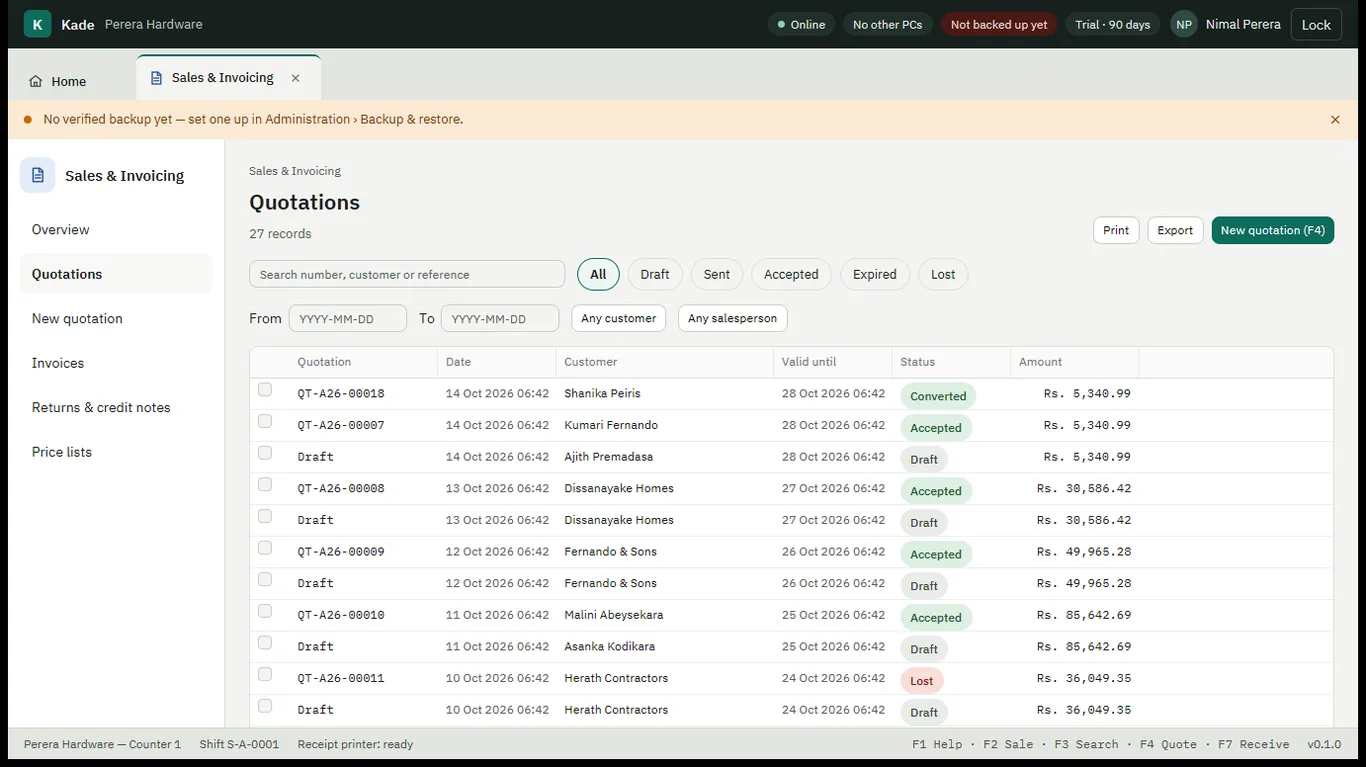
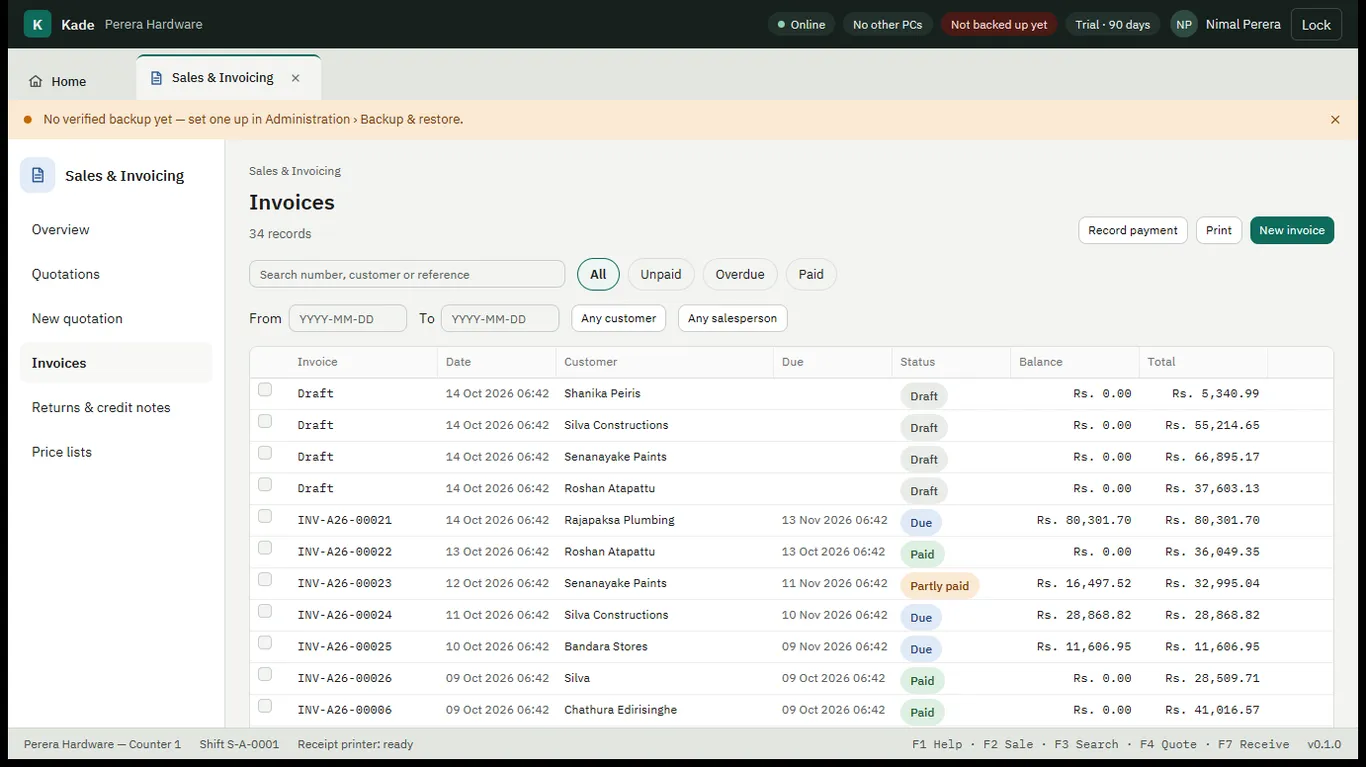
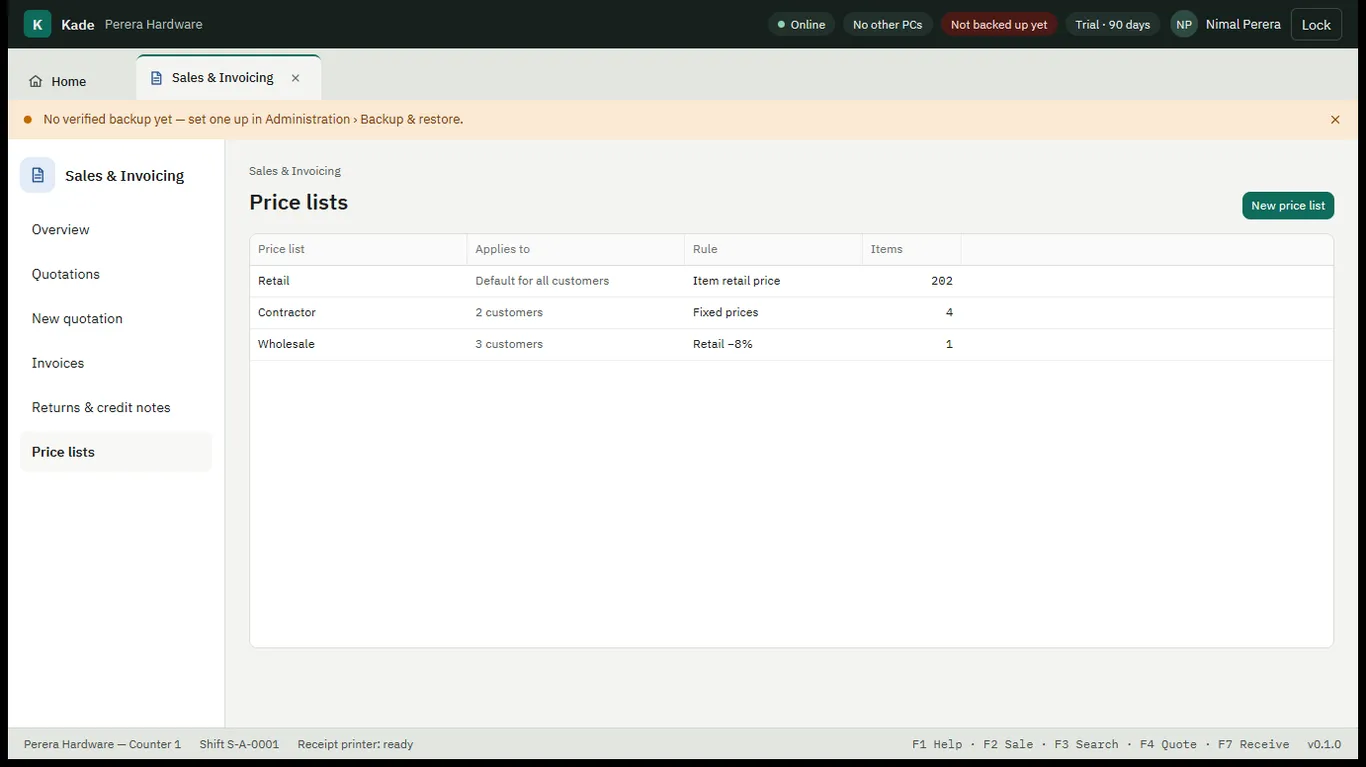
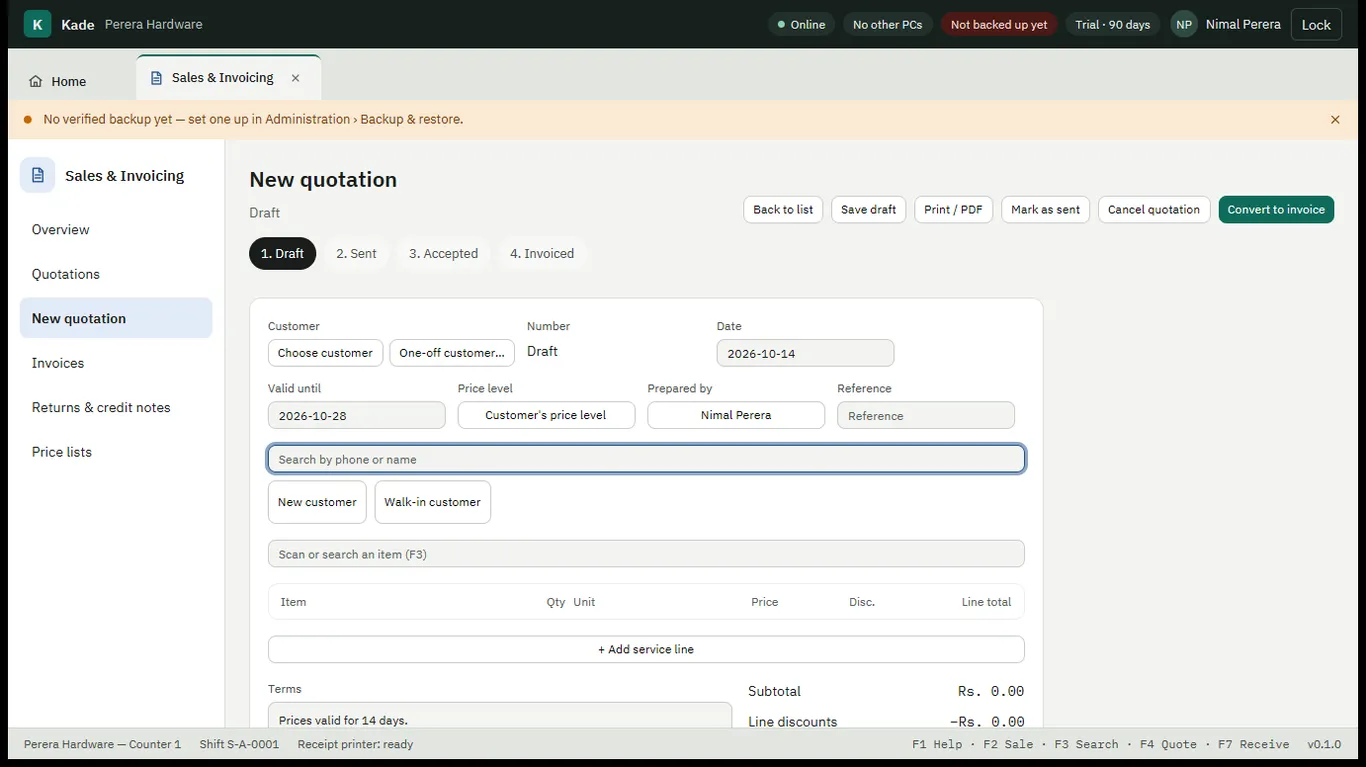
Real screens from Kade, shown with a demo shop's data.
Works together with